MAGI-2 Media to Video Generator

Flagship Exclusive
Omni-Reference 480B

Unavailable in 114B MAGI-2-Preview · Built into MAGI-2's single-stream MoE

Reference Matrix
9 Images + 5 Videos

Inline @image1 / @video1 prompt tags · 2–30s clips (up to 30s total video)

Reference Billing
$0 Video Ref Surcharge

Billed strictly on output duration (2.8 cr/s)—never charged for uploaded clip length

Native Output
4–30s · 1080p @ 25 fps

Reference-aware 1080p reconstruction + joint 44.1 kHz lip-sync audio

Omni-Reference Conditioning: Direct Every Asset Like a Film Crew

Text alone cannot hold the exact face, product SKU, or camera path across cuts. MAGI-2 Flagship's Omni-Reference architecture feeds images and video clips directly into the 480B single-stream Transformer and binds each upload to explicit inline @image1 / @video1 tokens—while the reference-aware 1080p upscaler preserves micro-details without drifting off-model.

Lock character identity from a multi-angle turnaround sheet

Upload a front, three-quarter, and side turnaround sheet as @image1, then direct the character into a new environment—such as placing the white ceramic robot from @image1 onto a sunlit balcony to water tomatoes and wave. Supplying multiple angles lets MAGI-2's Omni-Reference conditioning keep proportions, antenna, treads, and materials strictly on-model as the character turns.

Composite exact product SKUs into real environments

Assign distinct roles across uploads: @image1 holds a studio packshot of a teal-and-white sneaker with orange laces, while @image2 supplies an empty dusk rooftop court. Prompt the shoe from @image1 to land on the court from @image2 with a low orbit—MAGI-2 preserves sole geometry, knit texture, and colorway while grounding contact shadows, dust physics, and sunset light.

Transfer kinetic camera choreography, pacing & stylized look via @video1

Attach up to 5 reference videos (2–30 seconds each, max 50 MB) alongside your images to steer camera sweeps, action rhythm, or visual direction—from live-action tracking to cel-shaded mech combat with synchronized impacts and score. On MG-2, reference video input seconds carry zero extra credit surcharge: you pay strictly 2.8 credits per output second.
Build a MAGI-2 Omni-Reference Sequence in Three Steps

Give every uploaded image and video one unambiguous role via @ tags for predictable, on-model 1080p output.

  1. Upload up to 9 images & 5 reference videos

    Add clean single-subject character sheets, SKU packshots, location plates (JPEG/PNG/WebP up to 30 MB), and optional motion/camera reference clips (2–30s each, up to 30s total per media type).

  2. Bind each asset with @image1 / @video1 tags

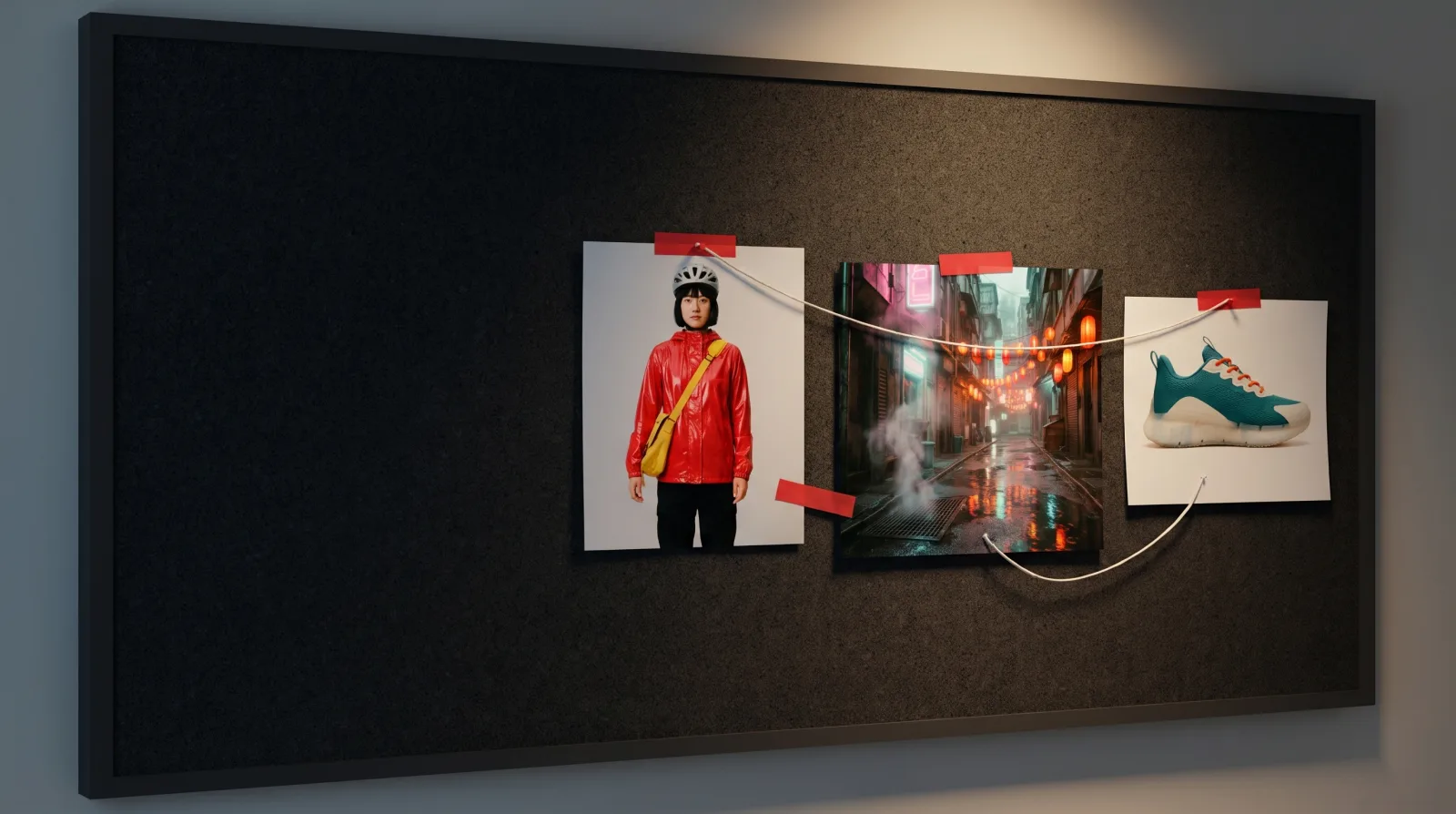
    Type @ inside the prompt to insert exact asset tokens in upload order—for example: "the courier from @image1 rides through the neon alley from @image2, following the camera pace of @video1." MG-2 validates every tag before submission.

  3. Render 4–30s native 1080p with $0 ref-video surcharge

    Select 16:9, 9:16, or 1:1 and any length from 4 to 30 seconds. Confirm the flat 2.8 credits/sec cost preview, render with native sound, and reuse the same asset board across subsequent shots.

Why Teams Choose MAGI-2 480B for Multi-Reference Production

Engineered for serialized storytelling, brand-safe ecommerce ads, and motion-guided directing.

Up to 9 reference images per shot

Separate cast, wardrobe, product SKU, props, and location into dedicated plates (@image1–@image9) so MAGI-2 respects each asset's identity without blending them.

Up to 5 reference videos (@video1–@video5)

Feed 2–30 second clips (30s total) to anchor exact camera paths, blocking rhythm, or action choreography instead of fighting text-only motion prompts.

Validated inline @ tagging

Type @ to pick uploads directly from your board. MG-2 verifies that every @image and @video tag matches an active upload before spending a single credit.

Reference-aware 1080p reconstruction

MAGI-2's upscaler re-reads your visual references during 1080p synthesis—keeping faces, packaging colors, and character turnarounds crisp across 4–30s takes.

$0 surcharge on reference video duration

Unlike platforms that charge extra credits per second of uploaded reference footage, MG-2 bills MAGI-2 strictly on output seconds at a flat 2.8 credits/sec.

Joint native 44.1 kHz audio & lip-sync

Dialogue, foley, spatial ambience, and score synthesize natively alongside every multi-reference shot—ready for direct review or social delivery.

Who Uses MAGI-2 Media to Video

  • Episodic Creators & Animation Studios: Reuse the exact same character turnaround sheet and location plates across dozens of scenes to maintain cast continuity across episodes.
  • Brand & Ecommerce Creative Teams: Drop verified SKU packshots into seasonal locations and lifestyle scenarios while keeping silhouette, colorway, and material details on-model.
  • Commercial Directors & Motion Designers: Borrow real-world camera moves, handheld energy, or edit pacing from @video1 reference clips and re-skin the scene with custom talent and sets.

MAGI-2 Omni-Reference Production Workflows

  • Consistent protagonist across multi-scene shorts: Lock your lead character via @image1 across wide establishing shots, dialogue close-ups, and action beats without re-rolling faces.
  • Product-in-scene commercial spots: Pair a clean white-background product render (@image1) with a custom location plate (@image2) for grounded lighting and shadows.
  • Camera & choreography transfer: Use @video1 to lock a crane lift, whip pan, or combat beat while swapping characters, costumes, and worlds via @image1–@image3.
  • Multi-cut pitch boards in 1080p: Combine mood boards, prop references, and timestamped shot cues to turn static creative decks into 20–30 second 1080p reels.

MAGI-2 Omni-Reference vs MAGI-2-Preview & Competing Multi-Ref Pipelines

SpecificationMAGI-2 (480B)MAGI-2-Preview (114B)Seedance 2.5Standard I2V Models
Multi-Asset ReferencesUp to 9 images + 5 videos on MG-2 (up to 20 items natively)Not supported (T2V & single first-frame I2V only)Up to 30 images + 10 videos + 10 audio1 start frame (or 2 first/last frames) only
Inline @ Tag BindingExplicit @image1 / @video1 role assignment with pre-flight checkNot supportedSupported via @ tagsNot supported
Reference Video Surcharge$0 on MG-2 (flat 2.8 credits per output second)N/APremium flagship tier (~6× MAGI-2 1080p cost)N/A (no video reference input)
1080p Detail FidelityReference-aware 1080p latent upscaler @ 25 fpsBlind magi2_refiner @ 12.5 fps baseHigh-fidelity commercial pipelineSingle-frame conditioning only; identity drifts on turns
Single-Pass Duration4–30 seconds with joint native audio & lip-syncFixed 10 seconds4–30 secondsTypically 5–10 seconds

MAGI-2 Omni-Reference Strengths & Practical Boundaries

Where MAGI-2 480B Excels

  • True multi-role composition: Separately anchors cast, product, location, and motion in a single 480B pass—unlocking serialized workflows impossible in MAGI-2-Preview.
  • Zero penalty for reference video inputs: MG-2 charges strictly for generated output seconds (2.8 cr/s), making motion-reference experimentation cost-effective.
  • Reference-aware 1080p crispness: Re-reading uploaded plates during upscaling prevents character faces and product trims from melting during camera orbits.

Practical Limits to Plan Around

  • Cannot mix with first/last keyframes: Each job uses either reference media (@image/@video) or two first/last keyframes—not both. For locked start-to-end transitions, use Image to Video.
  • Image & video references on MG-2: The live MG-2 studio supports up to 9 reference images and up to 5 reference videos (2–30s each, max 30s total, 50 MB max); standalone audio-file uploads are not enabled in this panel.
  • Fewer, cleaner references outperform clutter: Using 2–4 clean, single-subject plates with explicit roles produces noticeably tighter identity lock than cramming all 9 image slots with conflicting lighting.

Continue Across the MAGI-2 Pipeline

MAGI-2 Mode

MAGI-2 Text to Video

Script 4–30s multi-shot scenes with up to 15 timestamped hard cuts and lip-sync dialogue from text alone.

Open
MAGI-2 Mode

MAGI-2 Image to Video

Animate one photo via MAGI-2's reference-aware 1080p upscaler (~1163 Elo) or bridge first and last keyframes.

Open
Workspace

MAGI-2 Full Studio

Full workspace with all MAGI-2 modes, preset roles, and your complete My Creations library.

Open
Technical Guide

MAGI-2 vs MAGI-2-Preview

See why 480B Omni-Reference, +151.8 Elo, and 25 fps native 1080p separate Flagship from Preview.

Open

MAGI-2 Media to Video FAQ

Technical answers on MAGI-2 480B Omni-Reference conditioning, @image1 / @video1 syntax, limits, and billing.

Multi-asset Reference-to-Video (Omni-Reference conditioning) is exclusive to the 480B MAGI-2 Flagship model. The 114B Apache 2.0 MAGI-2-Preview checkpoint only supports text prompts and single first-frame Image-to-Video.

In a single MAGI-2 Media-to-Video request on MG-2, you can attach up to 9 reference images (JPEG, PNG, WebP up to 30 MB each) and up to 5 reference videos (2–30 seconds each, up to 30 seconds total, max 50 MB per video).

No. MG-2 bills MAGI-2 1080p uniformly at 2.8 credits per output second (14 credits for 5s, 28 credits for 10s, 84 credits for 30s) with $0 extra surcharge for uploaded reference video duration.

Uploads are numbered in order (@image1, @image2… and @video1, @video2…). Type @ in the prompt to insert a tag and assign a clear role—e.g., "the robot from @image1 stands on the balcony, following the smooth camera orbit of @video1." MG-2 verifies every tag matches an uploaded asset before generating.

Explicitly tell MAGI-2 whether to take camera trajectory, movement rhythm, or editing pace from @video1—such as "follow the camera movement of @video1 while using the character from @image1"—so it transfers motion without copying unwanted subjects from the reference clip.

No. A generation runs in either First & Last Frame mode (Image to Video) or Omni-Reference mode (Media to Video), never both at once.

Upload a clean turnaround sheet (front, three-quarter, side) or crisp white-background product photo, reuse the exact same file across generations, keep your subject wording consistent, and avoid contradictory lighting descriptions.

Every job outputs 4–30 seconds of native 1080p @ 25 fps MP4 video in 16:9, 9:16, or 1:1 with joint 44.1 kHz audio. Paid plans and credit packs include watermark-free commercial downloads.

Lock Your Cast, Product & Camera with MAGI-2 Omni-Reference

Upload up to 9 images and 5 reference videos above, assign roles with @image1 / @video1, and render 4–30s of native 1080p / 25 fps cinema at 2.8 credits/sec with $0 reference-video surcharge.